CropScan

Free document scanner for Android

Point. Snap. A clean, flat scan.

CropScan finds the edges of the page by itself, cuts away the table and straightens the photo, so it looks like it came off a flatbed scanner. Then it's a PDF in a tap.

  • Free, no account
  • Works offline
  • No watermark
  • Documents processed on your phone
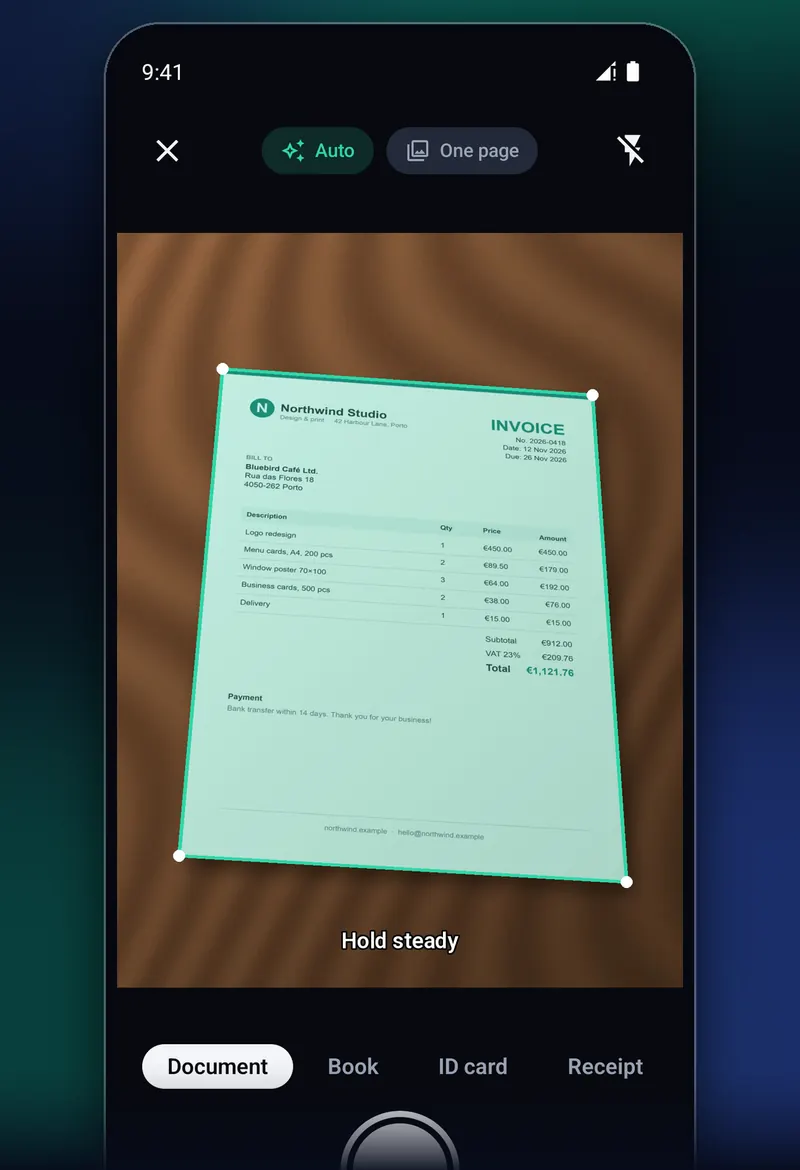
CropScan camera screen: a green outline has locked onto an invoice lying on a wooden table, with the hint Hold steady.

From paper to PDF in three steps

No cropping by hand, no fiddly settings. Just the paper and your phone.

  1. The camera finds the edges of an invoice on a table.

    Point

    Hold your phone over the page. A green outline locks onto it in real time, even on a busy desk.

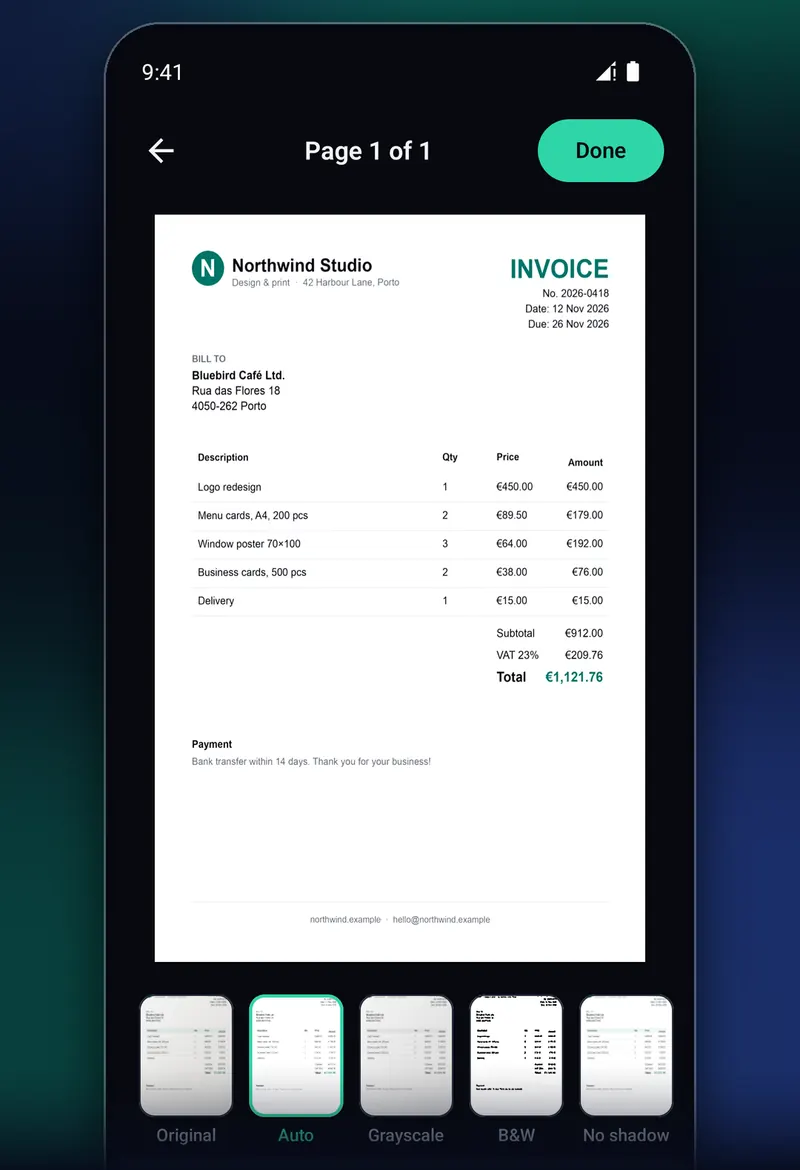
  2. The finished scan: a flat, white invoice with five filters to choose from below it.

    Snap

    Hold still and CropScan takes the shot by itself once the text is sharp. The page comes out cropped, flat and clean.

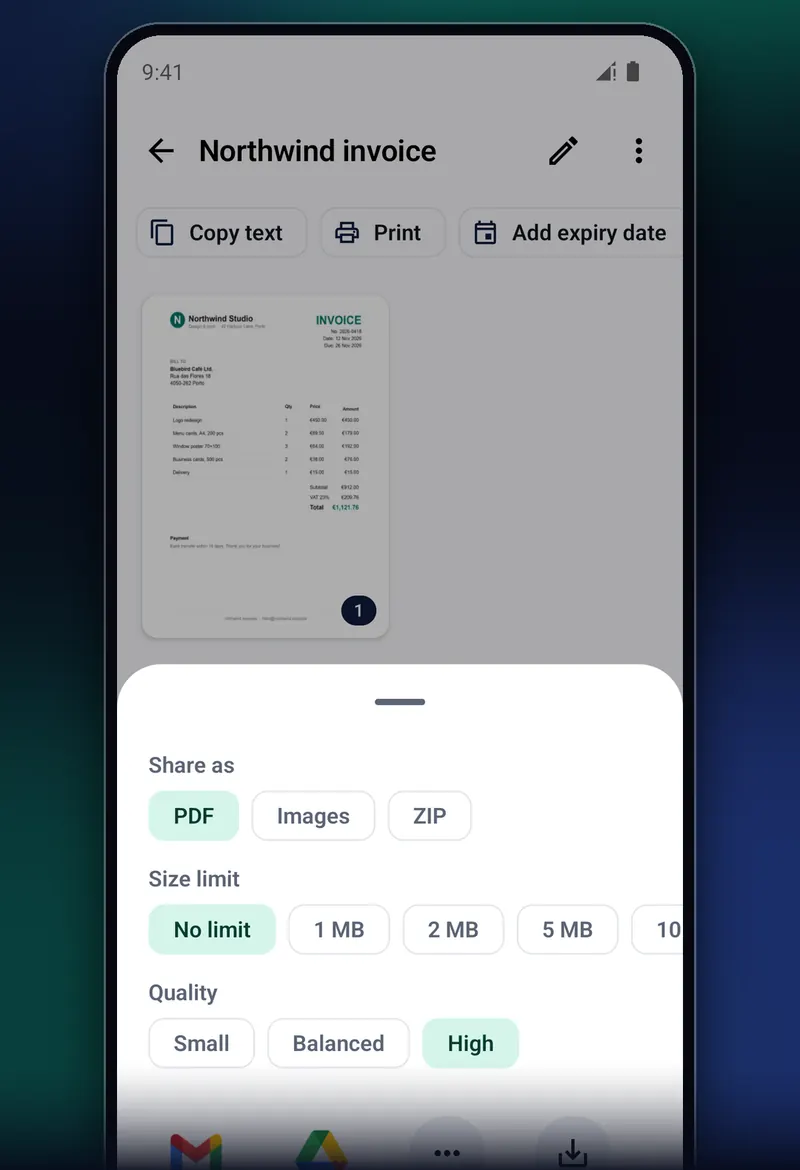
  3. The share panel: PDF, images or ZIP, a size limit and a quality setting.

    Send

    Share it as a PDF, images or a ZIP, straight to the apps you already use. Or print it.

Made for the papers in your real life

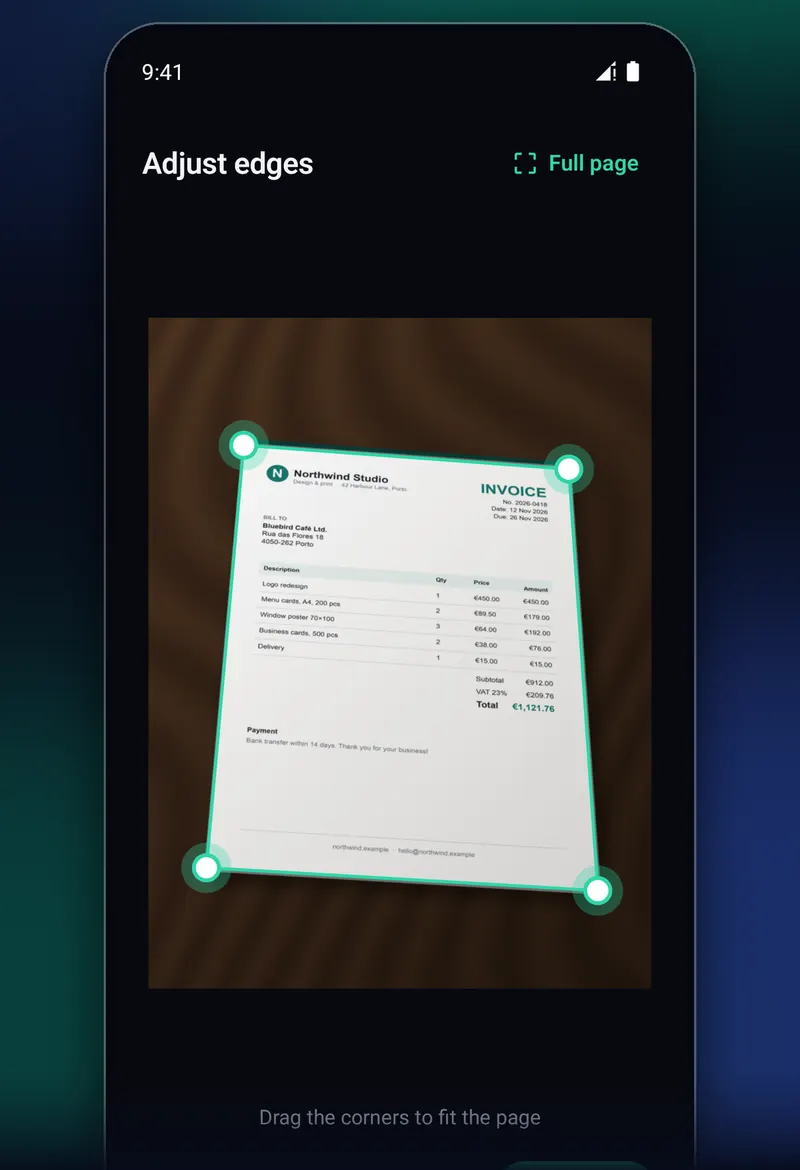
Adjust edges screen: four round handles sit on the corners of a tilted invoice.

No more cropping by hand

The page, and only the page

Tilted shots are straightened to the page's real shape, so an A4 stays A4. If a corner is off, drag it: a magnifier shows exactly where the edge is.

  • Finds pages on light tables and patterned surfaces
  • Still finds the corner under your finger
  • Shoots by itself, with a manual shutter always there
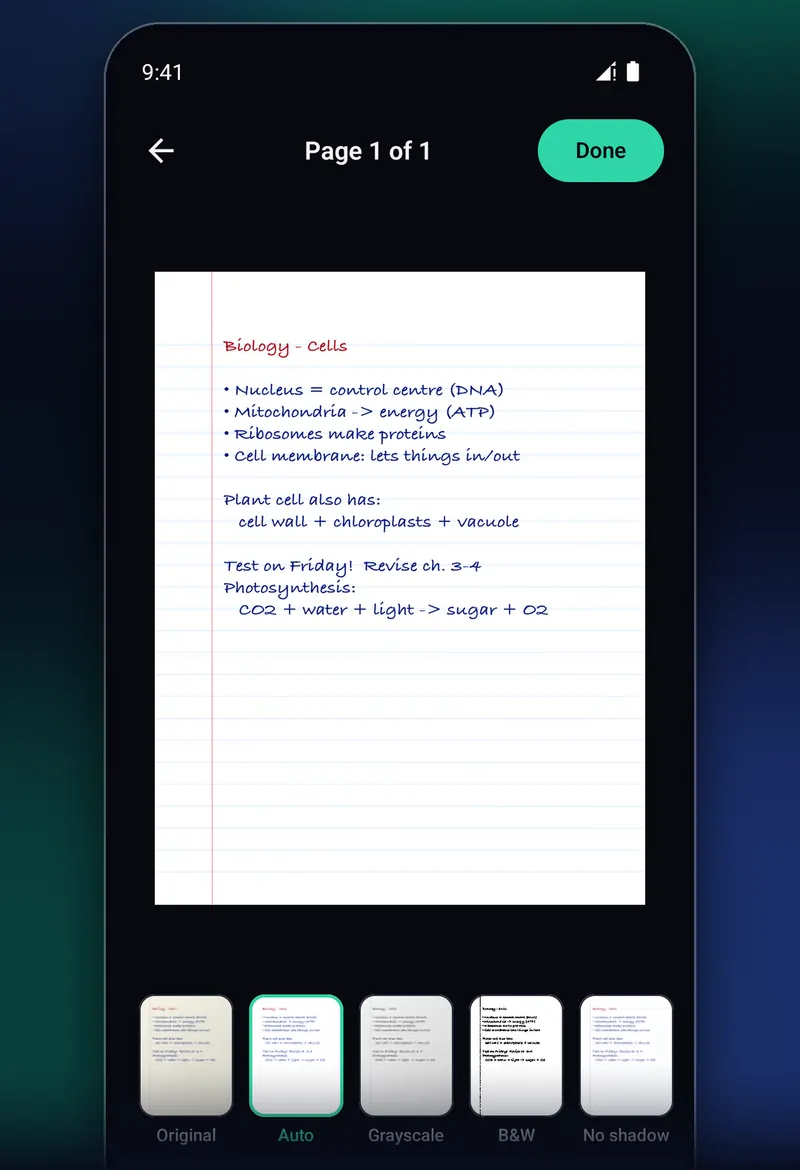
Handwritten biology notes, cleaned up, with the filters Original, Auto, Grayscale, B&W and No shadow below.

Looks like a real scan

Shadows and yellow light, gone

Kitchen-table photos come out dim, tinted and shadowed by your own hand. One tap turns the paper white and the ink crisp.

  • Auto, Grayscale, Black and white, No shadow, or the original
  • No shadow lifts the shade cast by your hand or phone
  • Exports keep full quality unless you ask for a smaller file
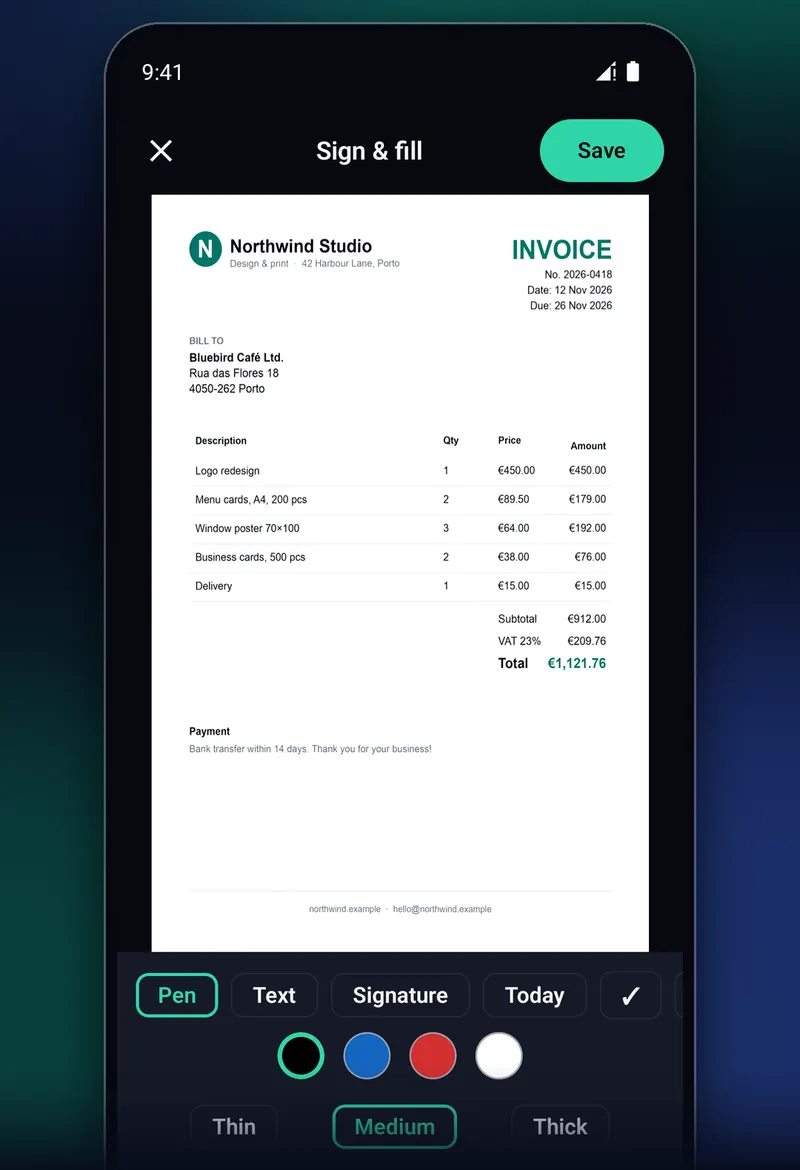
Sign and fill screen with an invoice and the tools Pen, Text, Signature and Today.

No printer needed

Fill in and sign forms on your phone

Type text, add today's date, ticks and crosses or your saved signature right on the page, then send it back in minutes.

  • Save your signature once and reuse it
  • Lock a PDF with a password before you send it
  • Set a size limit when a form wants a small file
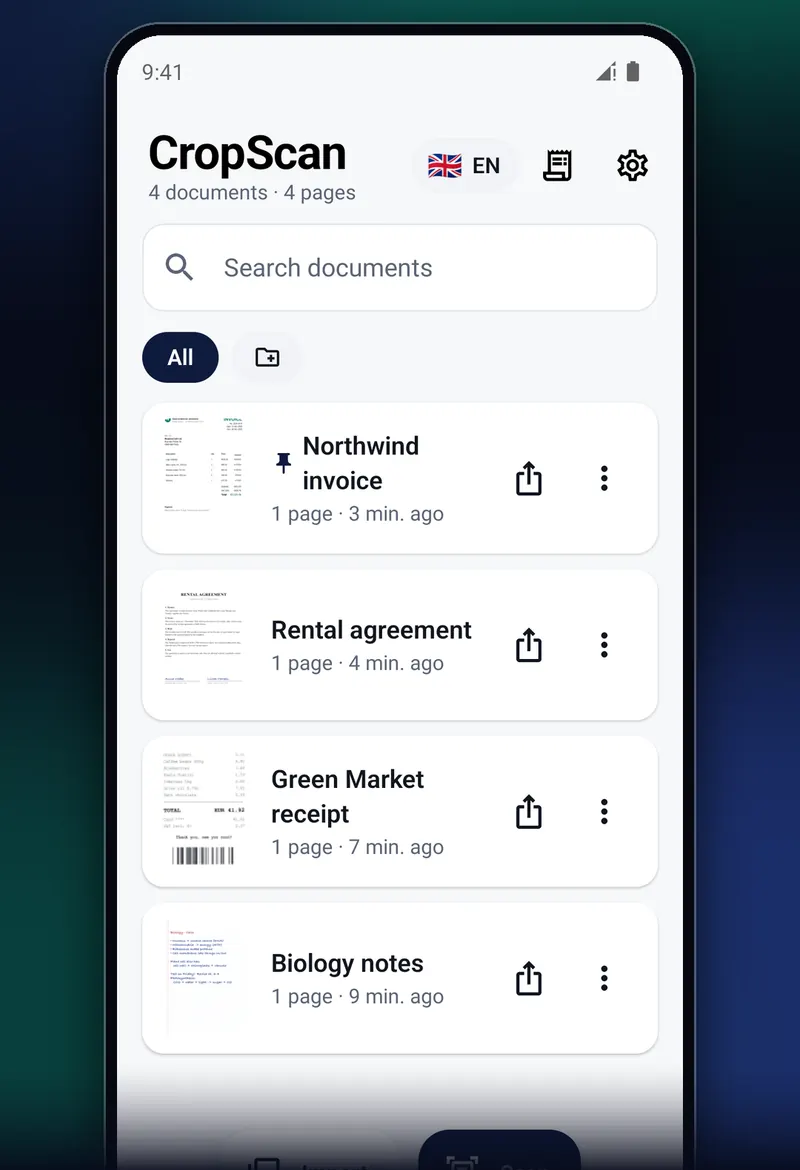
The CropScan library with an invoice, a rental agreement, a receipt and biology notes, and a search box.

Find anything in seconds

Every paper in one tidy place

Your scans live in a library on your phone. Search finds words inside your scans, not just file names, because the text is read right on your phone.

  • Folders, pins, rename and merge
  • Reminders before a warranty or an ID runs out
  • App lock with fingerprint, face or PIN

One camera for every kind of paper

Pick the scan type under the shutter and CropScan treats the paper the way it should be treated.

  • Document

    Scan page after page, put them in order, export one PDF.

  • Book

    Frame an open book and get the left and right page separately.

  • ID card

    Front and back on one page, ready to print or send.

  • Receipt

    Shop, date and total read for you and filed under Expenses.

  • Business card

    Name, phone and email go straight into a new contact.

  • Invoice

    Check the lines in a table and export a real Excel file.

Your documents stay on your phone

Passports, payslips and medical letters are nobody else's business. Scanning, text recognition and export run on your phone, and your document images, text and file names are never uploaded.

  • No account

    Install it and start scanning. There's no email to give and no password to forget.

  • Works offline

    Scan in airplane mode, abroad without roaming or in a basement archive.

  • Straight about the rest

    The free version shows one banner ad on the home screen, never on the camera or while you edit. Usage statistics and crash reports are optional: in the EEA, the UK, Switzerland, Moldova and Türkiye the app asks first; elsewhere you can switch them off in Settings.

The details are in the privacy policy and on the cookies and tracking page.

Free, without the catch

Scanning, editing and exporting documents is free and stays free.

  • No watermark on your pages
  • No page limit on scans or PDFs
  • No subscription to scan, export or share
  • No full-screen ads

Pro features such as unlimited receipt scans and expense export are free for now. Later they will become CropScan Pro, a one-time purchase on Google Play.

Speaks your language

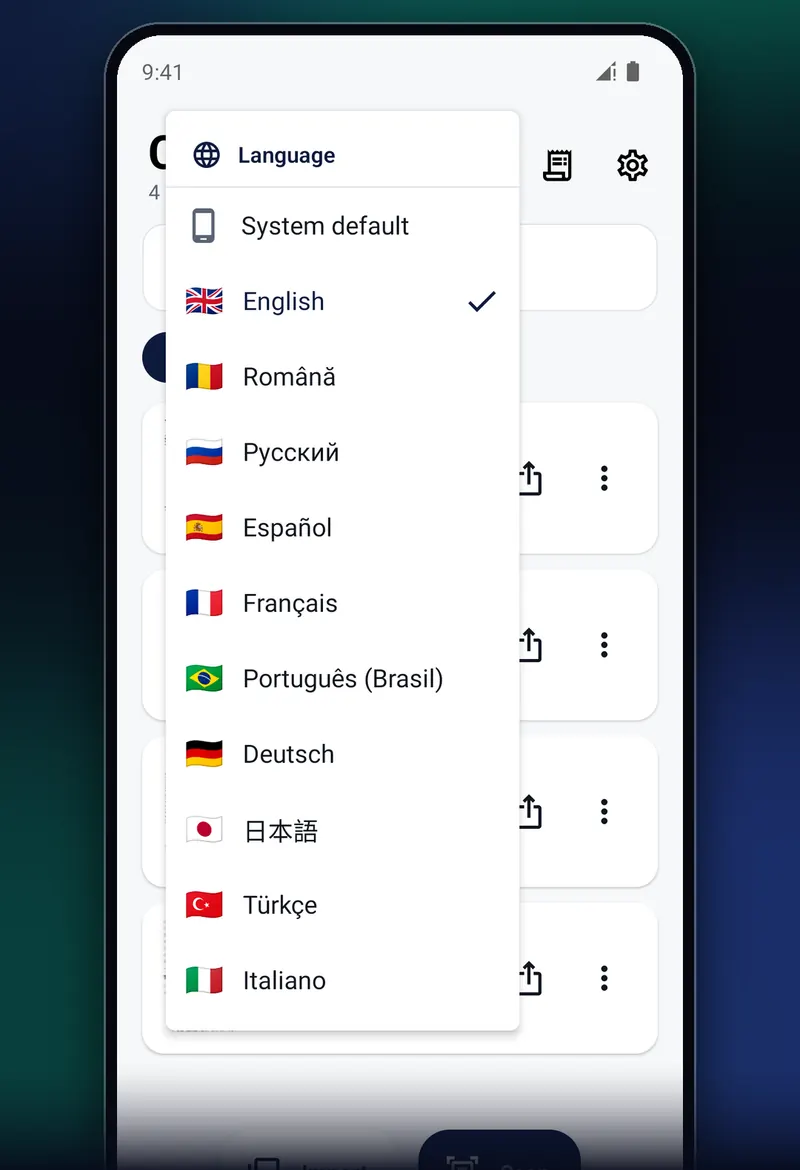
CropScan comes in ten languages, and you can switch in Settings at any time. Text recognition reads languages written in the Latin alphabet.

The CropScan language menu listing English, Română, Русский, Español, Français, Português (Brasil), Deutsch, 日本語, Türkçe and Italiano.

Questions people ask

Is CropScan really free?

Yes. Scanning, filters, PDF and image export, text recognition, folders, app lock and backups are free, with no watermark. The free version shows one small banner ad on the home screen.

Pro features such as unlimited receipt scans and expense export are free for now. Later they will become CropScan Pro, a one-time purchase through Google Play with no subscription.

Does it need the internet?

No. Scanning, text recognition and export all run on your phone and work in airplane mode.

The app goes online only to load the banner ad, to send usage statistics and crash reports if you allow that, and for limited technical diagnostics of the text recognition library. Your documents are never uploaded.

What does CropScan send, and can I turn it off?

Usage statistics and crash reports: which screens and features are used, the app version, phone model and Android version. Never document images, recognised text, file names, amounts or anything you type.

In the EEA, the UK, Switzerland, Moldova and Türkiye the app asks before sending statistics; elsewhere they are on until you switch them off in Settings, Privacy. The banner ad comes from Google AdMob.

Which phones does it work on?

Any Android phone with a camera running Android 7.0 or later.

What if it can't find the edges of my page?

It never gets in your way. Take the shot with the shutter button and place the four corners yourself, with a magnifier. For the best automatic results, put light paper on a darker surface.

Can I make one PDF from many pages?

Yes. Scan pages one after another, reorder them, then export a single PDF. You can also select several saved documents and merge them into one.

How do I move my scans to a new phone?

Your scans are kept in CropScan's private storage and are left out of Android's automatic cloud backup. Go to Settings, Backup and restore, save a backup file, copy it to the new phone and restore it there.

Clear the pile on your desk

CropScan is free on Google Play. Your first clean scan is a few seconds away.

Get it on Google Play
Free, no accountGet it on Google Play